Solutions

Built for the way you send documents.

However your team gets things signed, Folio adapts — the same workspace, tuned to your documents.

One platform

The same workspace, whoever you are

Whatever your team sends, it runs on the same set of tools — you just start from the workflow that fits. Nothing to bolt on, nothing to switch between.

  • Editor & templates — draft, or start from a saved document
  • Secure e-signature — recipients sign free, on any device
  • Vantra AI & tracking — summaries, checks and live status
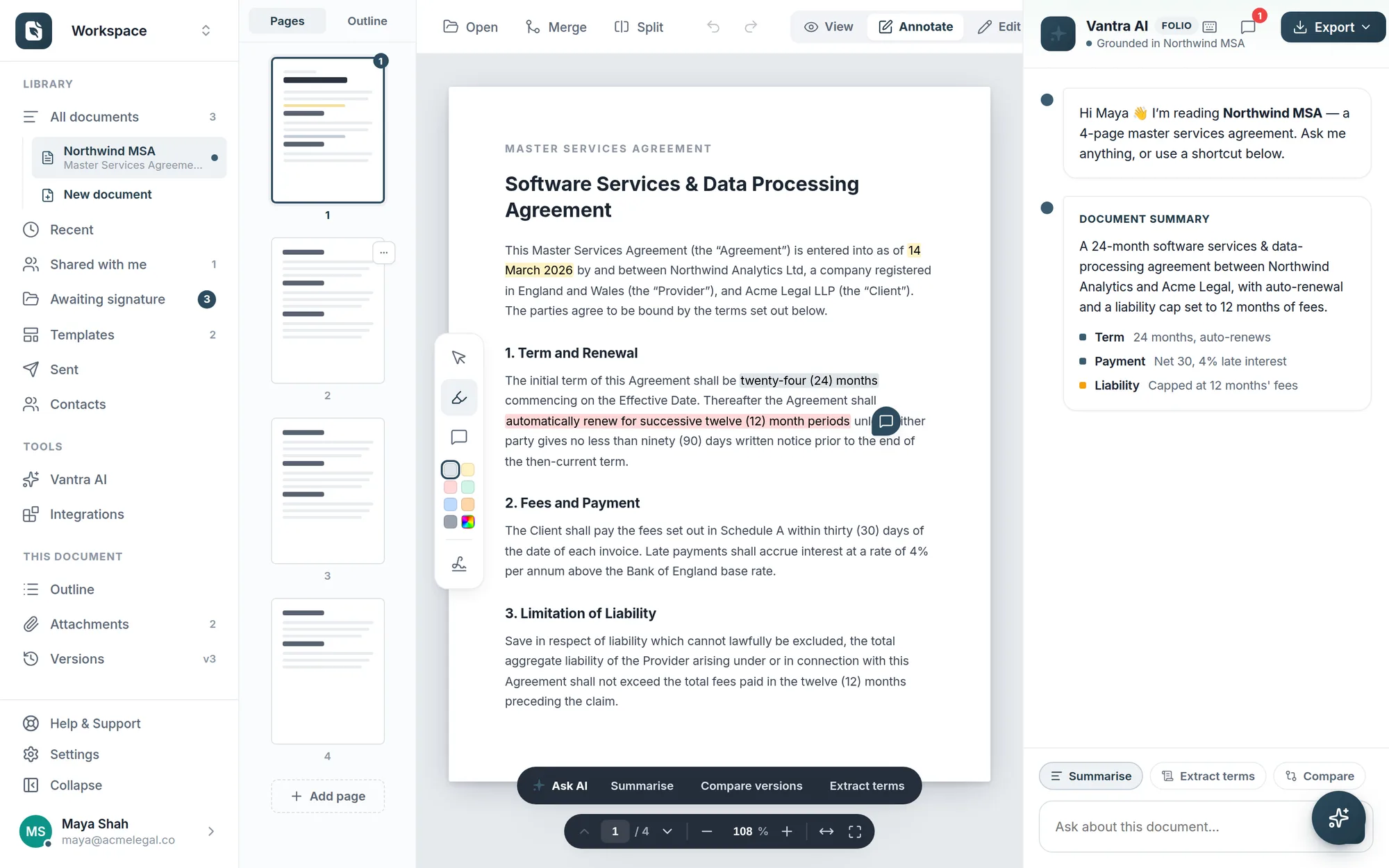
The Folio workspace with a document open, fields placed, and the tracking sidebar.
How it works

However your team works, the flow is the same

Three steps behind every workflow above.

1

Prepare

Draft in the editor or start from a template, with signature fields and signing order already in place.

2

Send

Share a secure link — recipients complete and sign in the browser, no account and nothing to install.

3

Track

Watch live status, send a reminder if anything stalls, and keep every signed document on file.

FAQ

Choosing a workflow

Not sure which fits my team?

Start anywhere — every workflow uses the same Folio workspace. Pick the closest match above for tailored guidance, or just create a free account and explore.

Can different teams share one workspace?

Yes. Legal, HR, sales and operations can work in the same workspace with shared templates, while each keeps its own documents and status.

Do I need a different plan for each use case?

No. Every plan includes the full toolset — editor, e-signature, templates, Vantra AI and tracking. Plans differ by volume and team features, not by workflow. See pricing.

Do recipients always sign for free?

Yes. Anyone you send to signs on a secure link for free, on any device — you only pay for the people who send.

More questions? Talk to us →

Find your workflow.

Every team sends documents differently. See the one that fits yours — free to start.