Library & tracking

Every document, exactly where you left it.

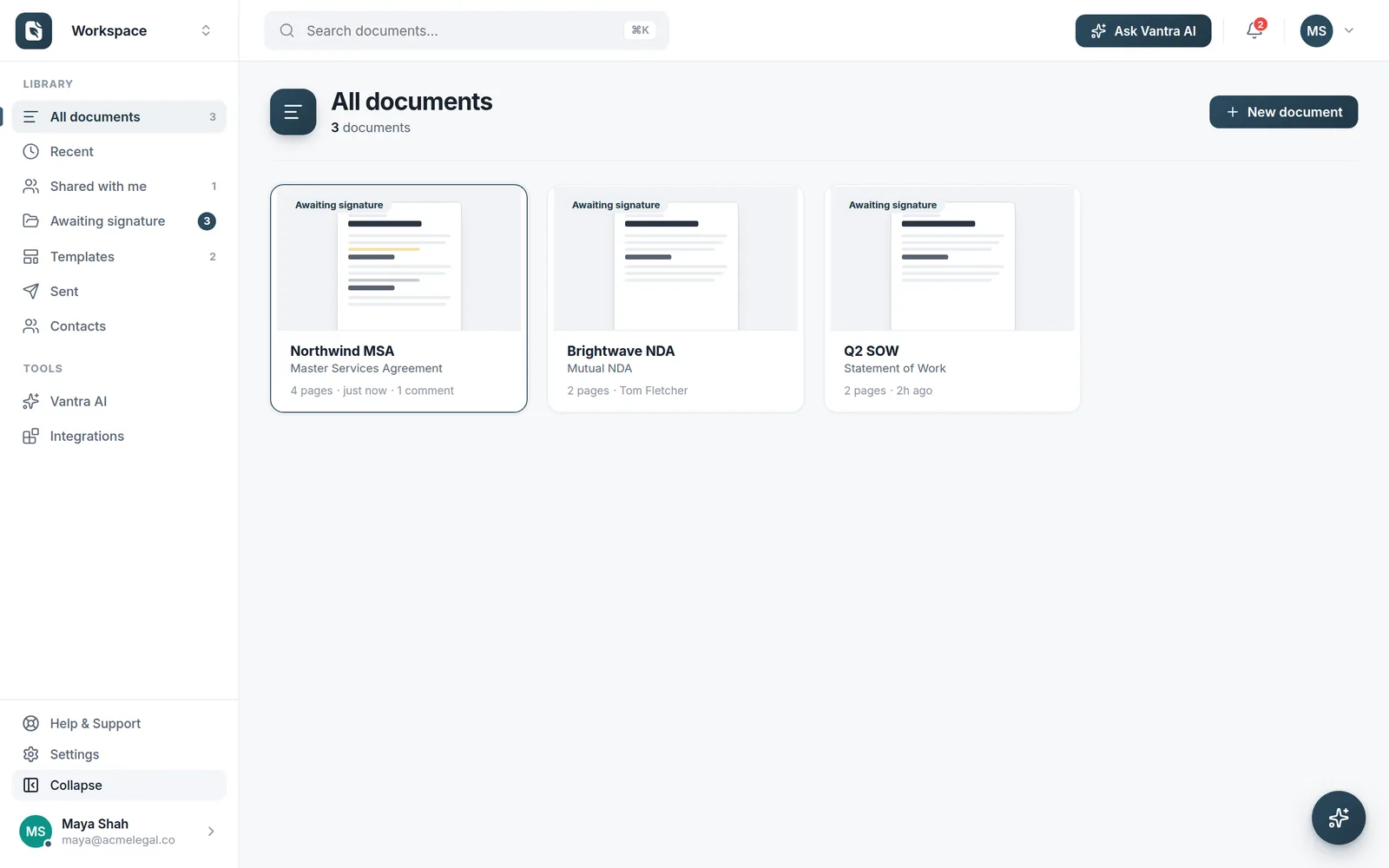
A clean library with live status — see what's awaiting signature, what's shared with you and what went out recently. Search everything with ⌘K.

Live statusDraft, sent, signed at a glance
One searchable homeEvery document & template
RemindersOne click to nudge signers
Audit trailEvery action recorded
Track everything

Live status, at a glance

Every document shows where it is — draft, awaiting signature, or complete. Chase signers with one-click reminders and never lose track of a send.

  • Status badges — awaiting, shared, sent
  • One-click reminders for pending signers
  • Instant search with ⌘K
The Folio library with awaiting-signature status on every document.
Stay organised

Built for teams that send a lot

Workspaces, search and status keep everyone on the same page.

Live status

Know the state of every document instantly.

Workspaces

Keep team documents together and scoped.

Instant search

Find documents, templates and contacts fast.

Shared with me

See what needs your attention first.

How it works

Nothing slips through

Every document you touch has one home, and you always know where it stands.

1

Everything in one place

Every document you create, send or receive lands in your library — searchable and filterable, right next to your templates.

2

Watch it move

See exactly where each document is — awaiting you, out for signature, or complete — with a live timeline for every one.

3

Nudge & close

Send a reminder in a click, download the signed PDF, and keep the full audit trail on file for later.

FAQ

Library & tracking questions

What can I see about a document's status?

At a glance: whether it's a draft, out for signature, partially signed, completed or declined — plus who still needs to act and when it was last touched. Open any document for its full timeline.

Can I find documents quickly?

Yes. Search by name, filter by status, and sort by recent activity. Templates, documents you've sent, and things awaiting you all live in the same library.

Can I remind people who haven't signed yet?

Yes. Send a reminder to outstanding signers in a click, and set documents to remind automatically or expire on a date you choose.

Where are completed documents kept?

Finalised documents stay in your library with their audit trail, ready to download or reference at any time. The desktop app and the web app show the same library.

More questions? Talk to us →

Never lose a document again.

Live status, instant search and team workspaces — so every document is exactly where you expect it.