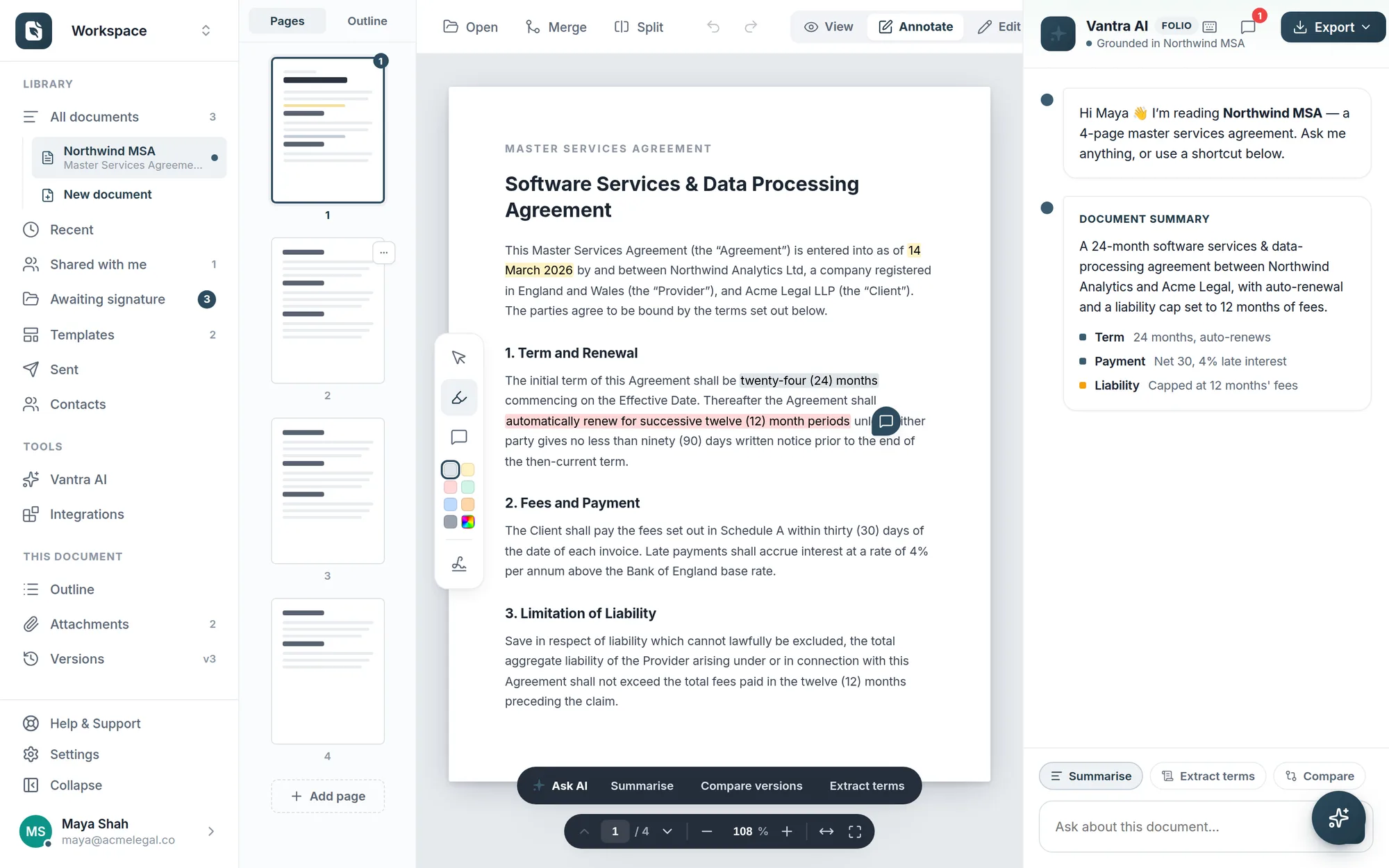
Draft in a clean block editor or upload an existing PDF — then highlight, comment, reorganise pages, and keep every version, all in one place.
Compose documents in blocks you can drag to reorder, or drop in a PDF and work on top of it. An outline keeps long agreements navigable.
Mark up clauses in six colours, leave comment pins for collaborators, and keep a full version history so nothing gets lost.
Built for real documents, not just forms.
Start blank or from a PDF — edit both the same way.
Save any document as a template in a click.
Split, merge and reorder pages with a live outline.
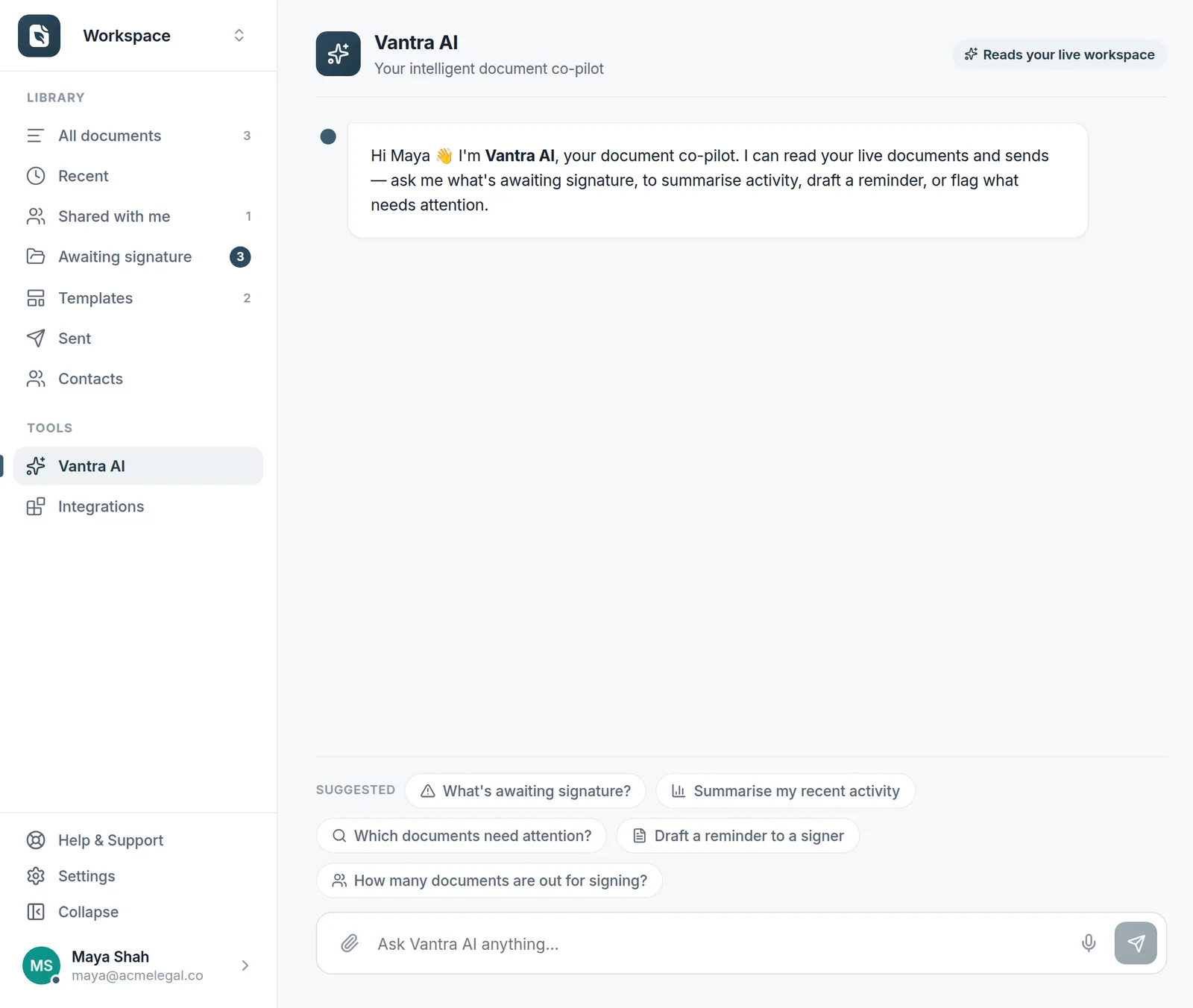
Vantra AI summarises and checks as you write.
The same document goes from first draft to signed without ever leaving Folio.
Open a blank block document or drop in an existing PDF — Folio treats both the same, so there's nothing to convert.
Reorder blocks and pages, highlight clauses in six colours, and leave comment pins for the people reviewing with you.
Save it as a template for next time, or drop on signature fields and send it — all from the same editor.
Both. Upload any PDF and work on top of it — highlight, comment, reorder or delete pages, and drop on fields — or start from a blank block document. They live side by side in your library and behave the same way.
Yes. Folio keeps a version history on every document, so you can see what changed and roll back if you need to. Attachments stay with the document too, so supporting files never get separated from the agreement.
Share a document and collaborators can read it, highlight passages, and leave comment pins — no separate tool and no exported PDFs flying around. When it's ready, prepare it for signature from the same place.
No — the desktop app and the web app are two windows onto the same workspace and the same editor. Double-click a PDF on your desktop to open it straight in Folio, and it's in your library in the browser too.
More questions? Talk to us →
Draft, review and prepare documents in one place — then send them for signature without switching tools.