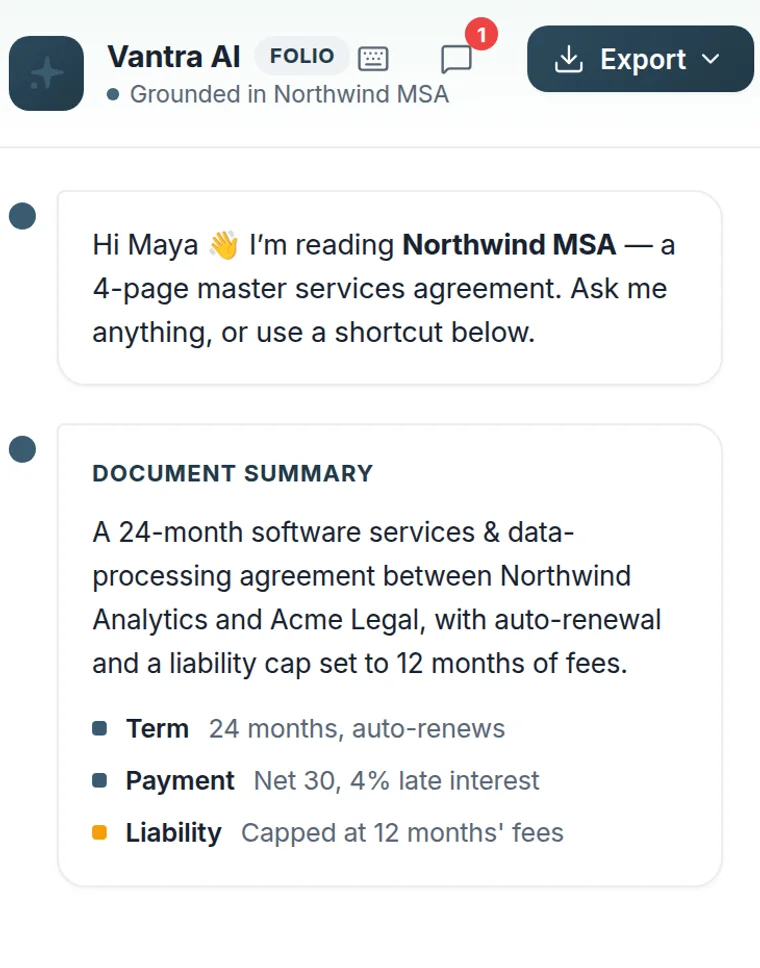
Vantra AI is grounded in the document you have open — ask for a summary, pull key terms, compare versions or get drafting help, all in plain language.
No copy-pasting into a chatbot. Vantra AI reads the open document and your workspace, so its answers cite the actual clauses in front of you.
Summarise, check, compare and draft — without leaving Folio.
The whole agreement in a few lines.
Confirms fields are placed and flags gaps.
See exactly what changed between drafts.
Rewrite a clause or draft a reply in your voice.
No pasting, no uploading — it already sees what you're working on.
Vantra AI reads the document you have open and the context of your workspace — there's nothing to paste in or upload separately.
Get a summary, pull the key terms, compare two versions, or ask what a specific clause actually means.
Turn a response into a draft reply, a redline, or a reminder — and drop it straight into your document without leaving Folio.
Only the document you have open and the context of your own workspace. Its answers are grounded in that content, so a summary or a key-term list reflects the real document in front of you — not a generic guess.
Yes. Ask it to draft a clause, tighten wording, or write a reply, and drop the result straight into your document or a message. You stay in control of every change.
Yes. Point it at two versions and it explains what changed in plain language — added clauses, altered dates and amounts — so you don't have to read them side by side line by line.
No. Your documents are processed to answer your request and are not used to train models. Access follows the same permissions and controls as the rest of your workspace.
More questions? Talk to us →
Summaries, key terms, comparisons and drafting help — grounded in the document you have open.