Features

One place to create, prepare, and sign.

Everything Vantra Folio does — from the first draft to the final signature.

Create & edit

A serious document editor, right in the browser

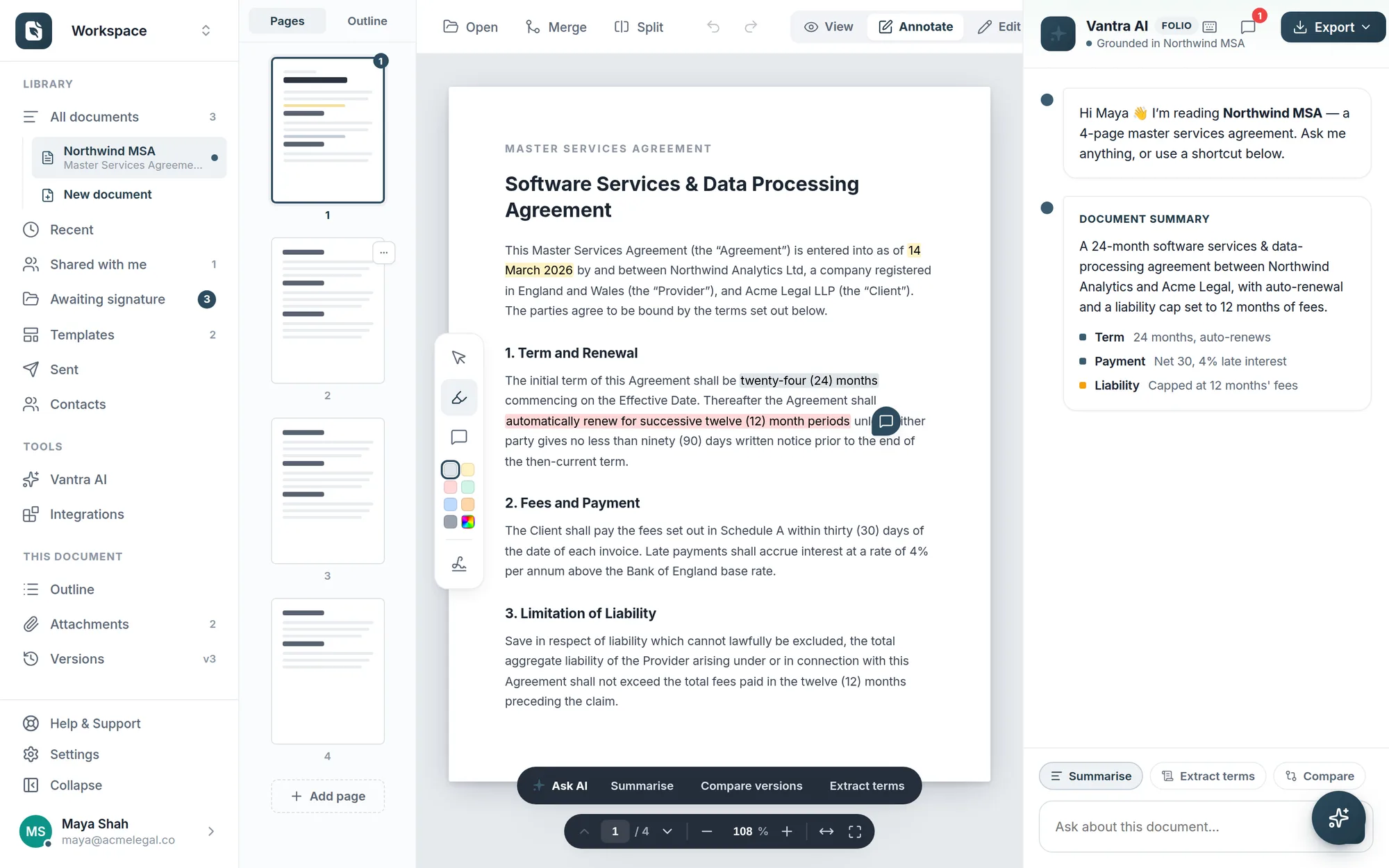
Draft in a clean block editor or upload an existing PDF. Highlight, comment, split, merge, and reorganise pages — with an outline, attachments, and version history alongside.

Block editor with drag-to-reorder Highlights & comments in six colours Versions & attachments
folio.vantrasoftware.com
The Folio editor with a master services agreement open: highlighted clauses, a comment pin, page thumbnails, and the Vantra AI summary panel.
Prepare & send

Drag fields on, assign signers, send

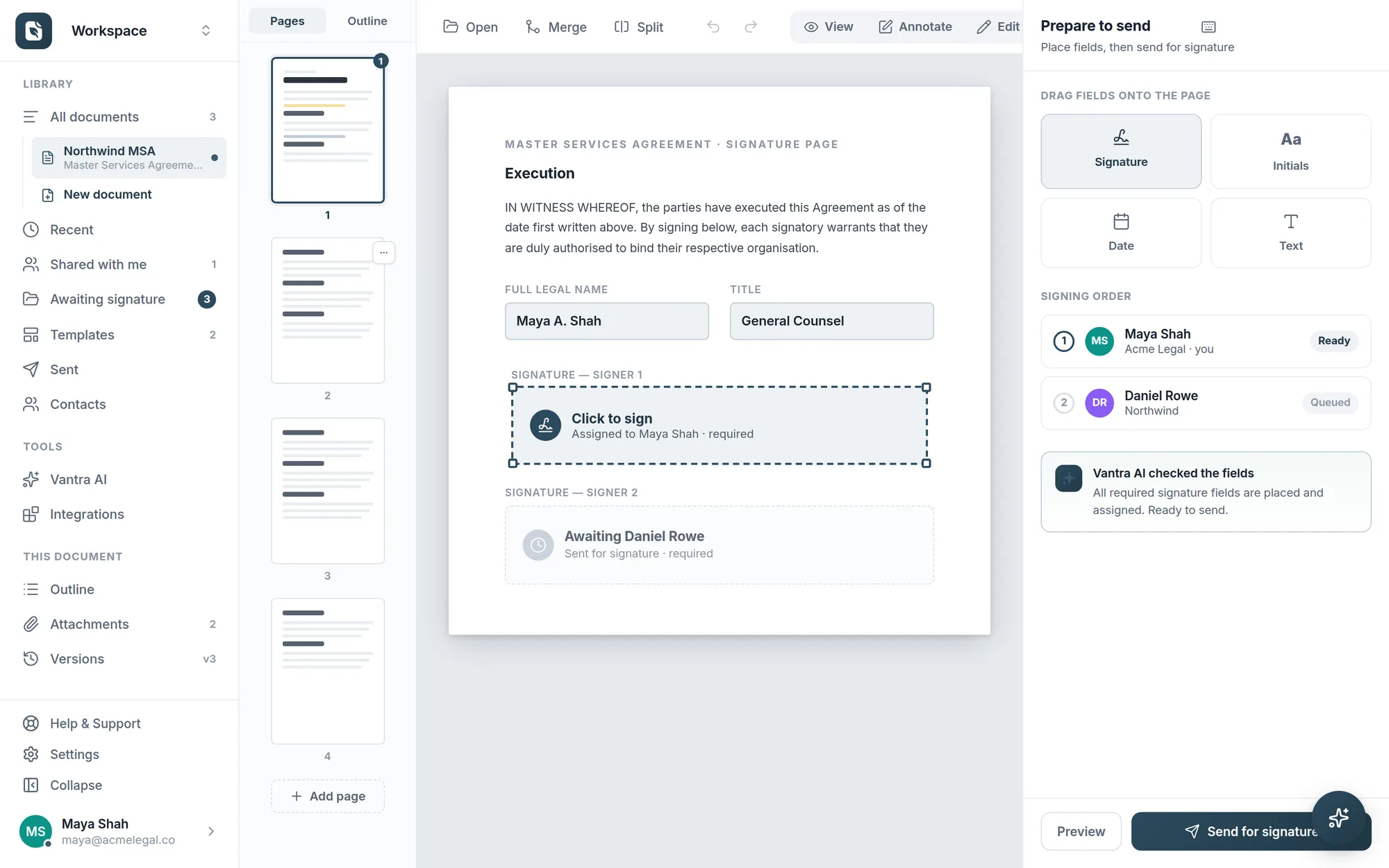
Signature, initials, date, and text fields snap onto the page. Assign each field, set the signing order, and Folio verifies everything is in place before you send.

  • Four field types — signature, initials, date, and text
  • Signing order — signers are invited in sequence, automatically
  • Pre-send checks — every required field placed and assigned
Prepare-to-send view: drag-and-drop field palette, a placed signature field, signing order for two recipients, and a Vantra AI field check.
For signers & senders

Easy on both sides of the signature

A guided flow for the people who sign, and an AI co-pilot for the people who send.

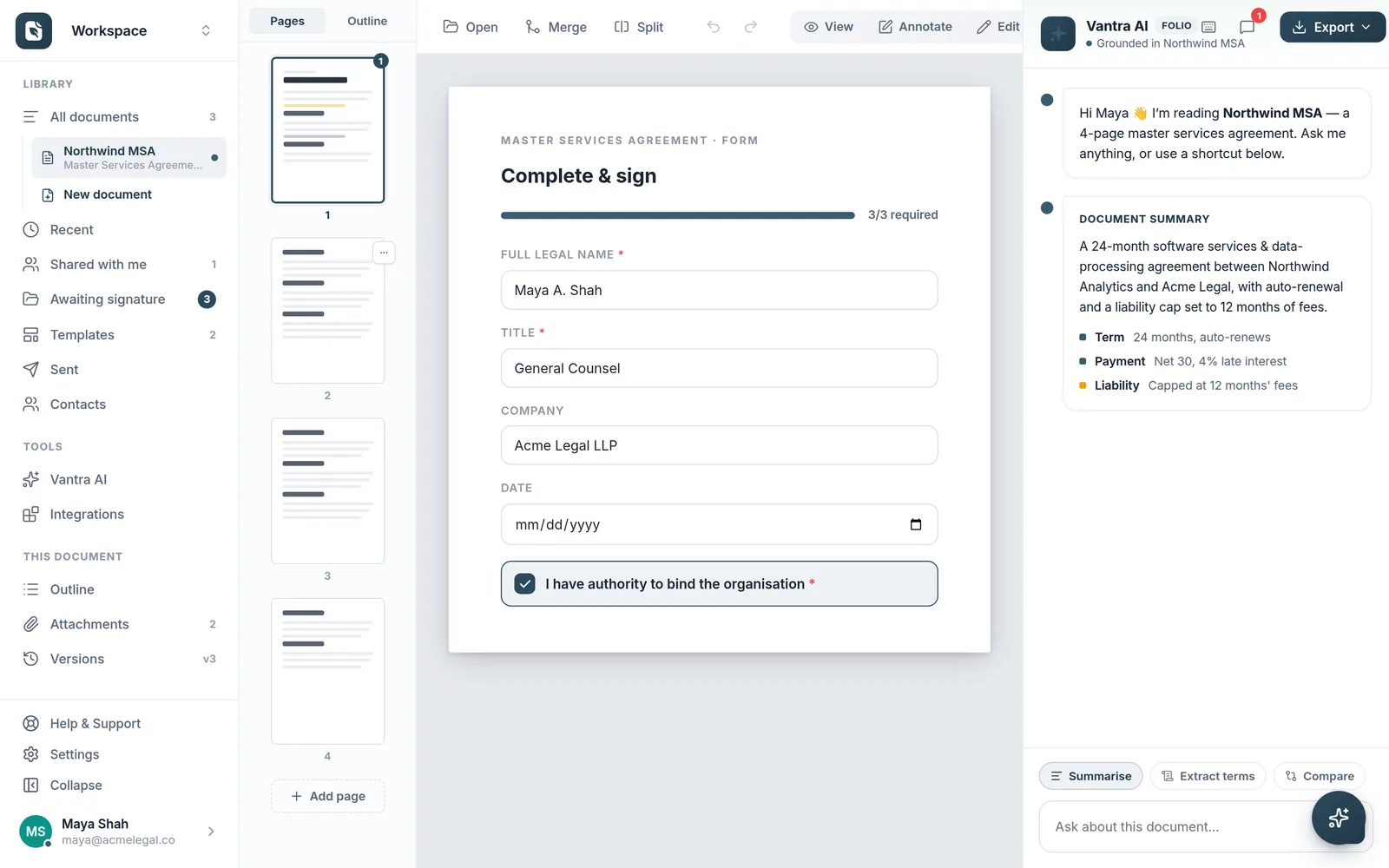
The recipient's complete-and-sign view: a guided form with progress bar, required fields, and an authority confirmation.

Effortless for the people who sign

Recipients open a secure link and see exactly what to complete — a guided form with progress, required fields, and click-to-sign. No account, no downloads.

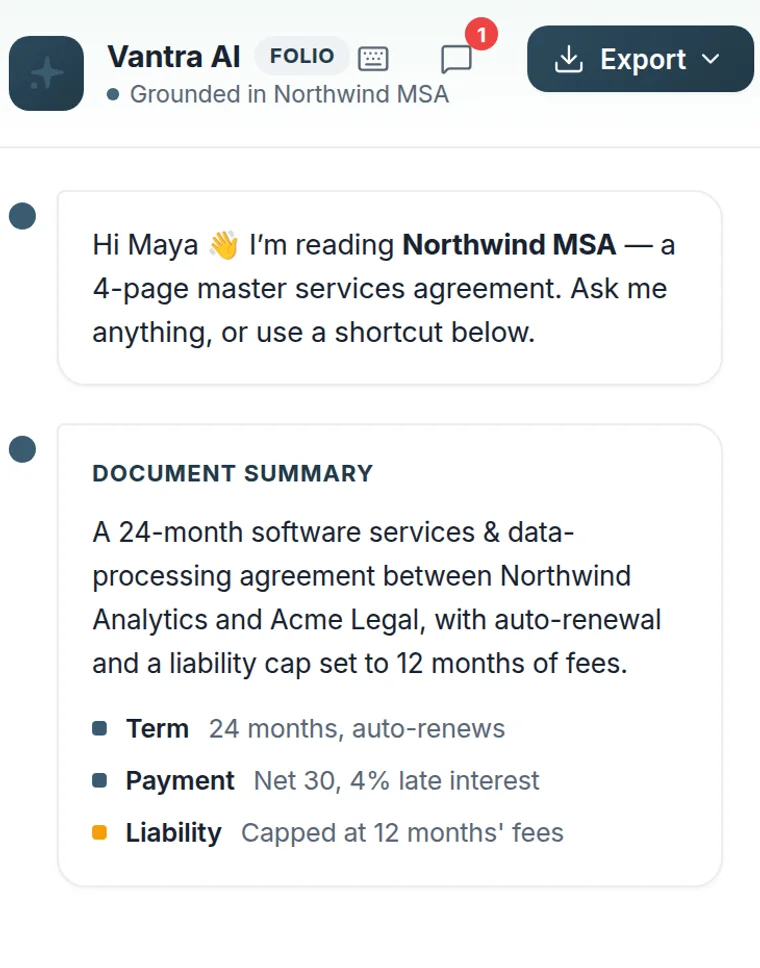
The Vantra AI panel grounded in an open agreement, showing a document summary with term, payment, and liability.

Your document co-pilot

Vantra AI reads the document you have open and your live workspace — summaries, key terms, comparisons, and reminders, in plain language.

Templates & smart fields

Never set the same document up twice

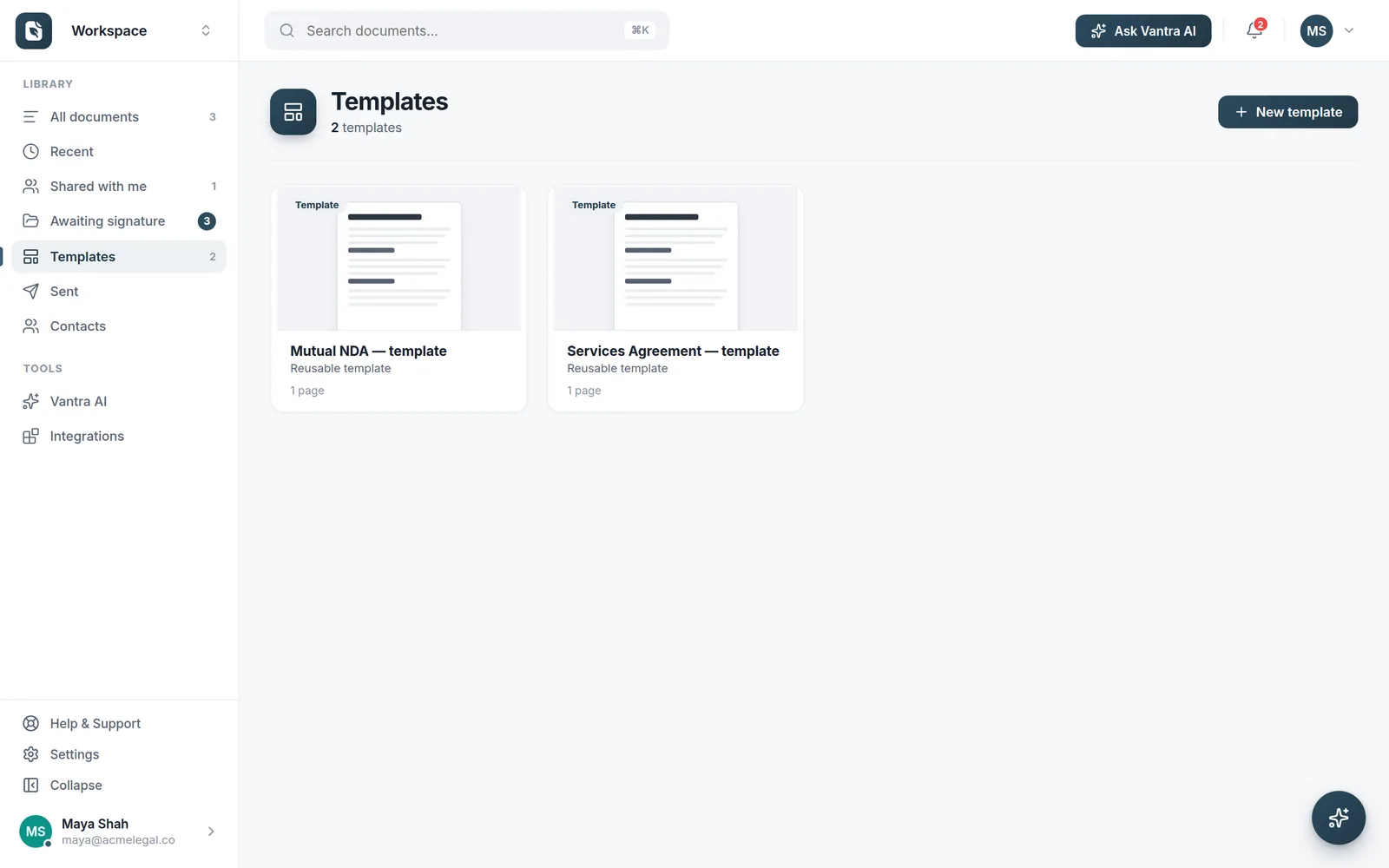
Turn any prepared document into a reusable template. Smart fields anchor to the words in your document — not pixel positions — so they survive new versions, new pages, and new content.

  • One-click reuse for NDAs, agreements, and recurring forms
  • Text & tag anchors — fields find their place on every upload
  • Apply to new PDFs — re-place saved fields onto a fresh file
The Templates view with reusable Mutual NDA and Services Agreement templates.
Library

Every document, exactly where you left it

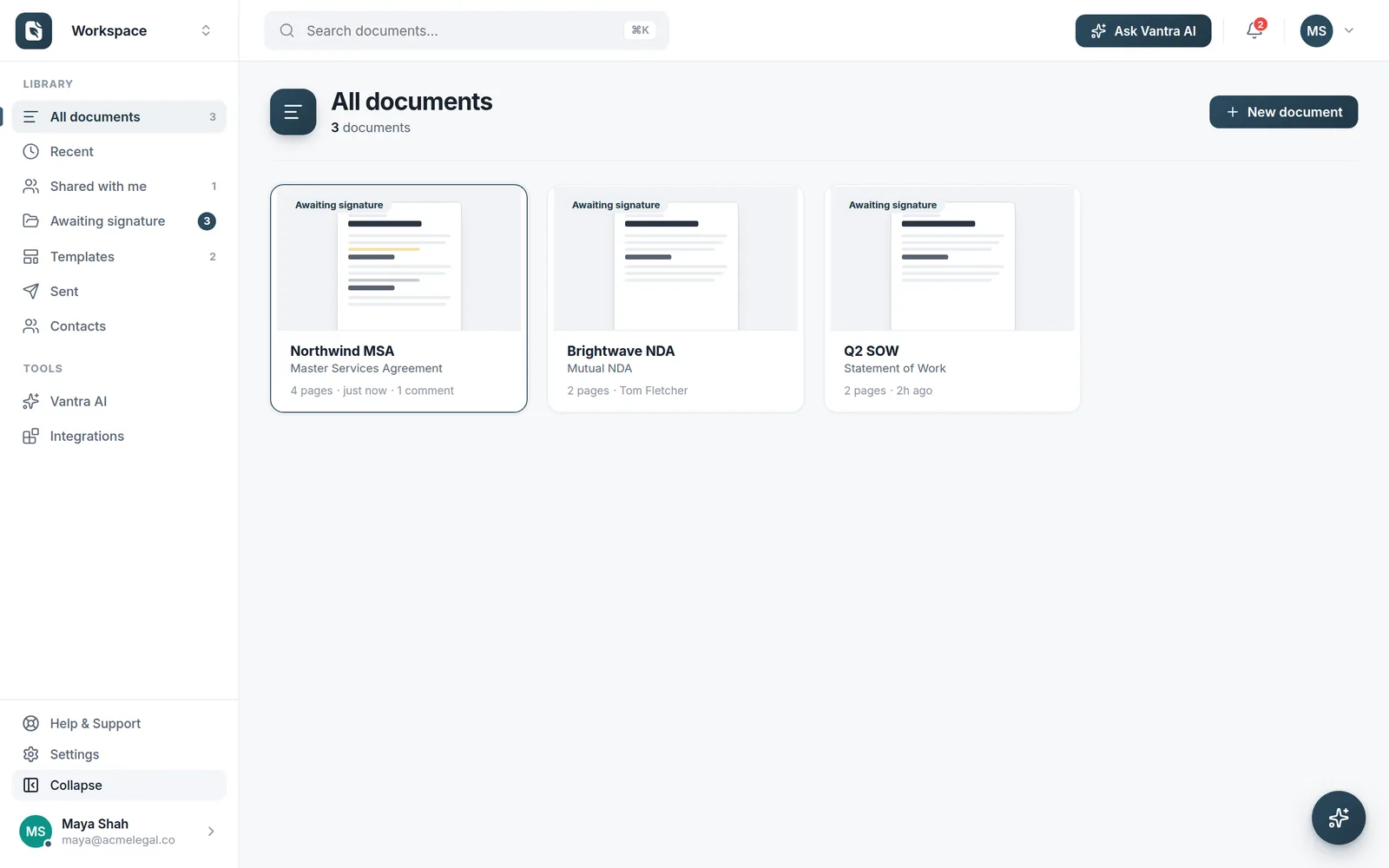
A clean library with live status — see what's awaiting signature, what's shared with you, and what went out recently. Search everything with ⌘K.

  • Status at a glance — awaiting signature, shared, sent
  • Instant search across documents, templates, and contacts
  • Workspaces — keep team documents together and scoped
The Folio library showing documents with awaiting-signature status badges.
The details

And the details that make it easy

Command palette

Jump to any document, view, or action with ⌘K — the fastest way around your workspace.

Contacts & recipients

Saved contacts drop straight into the recipient list — no retyping emails.

Email delivery

Signing invitations and reminders delivered by email, branded and trackable.

Merge & split

Combine documents or break them apart — page-level control when you need it.

Themes & appearance

Light, dark, and accent options — make the workspace feel like yours.

Secure by default

Encrypted in transit, trusted sign-in, hosted on Azure. Security →

See it for yourself

Create a free account and send your first document for signature in minutes.

Preparing a document to send: field palette, signing order, and AI field check.